Account manager
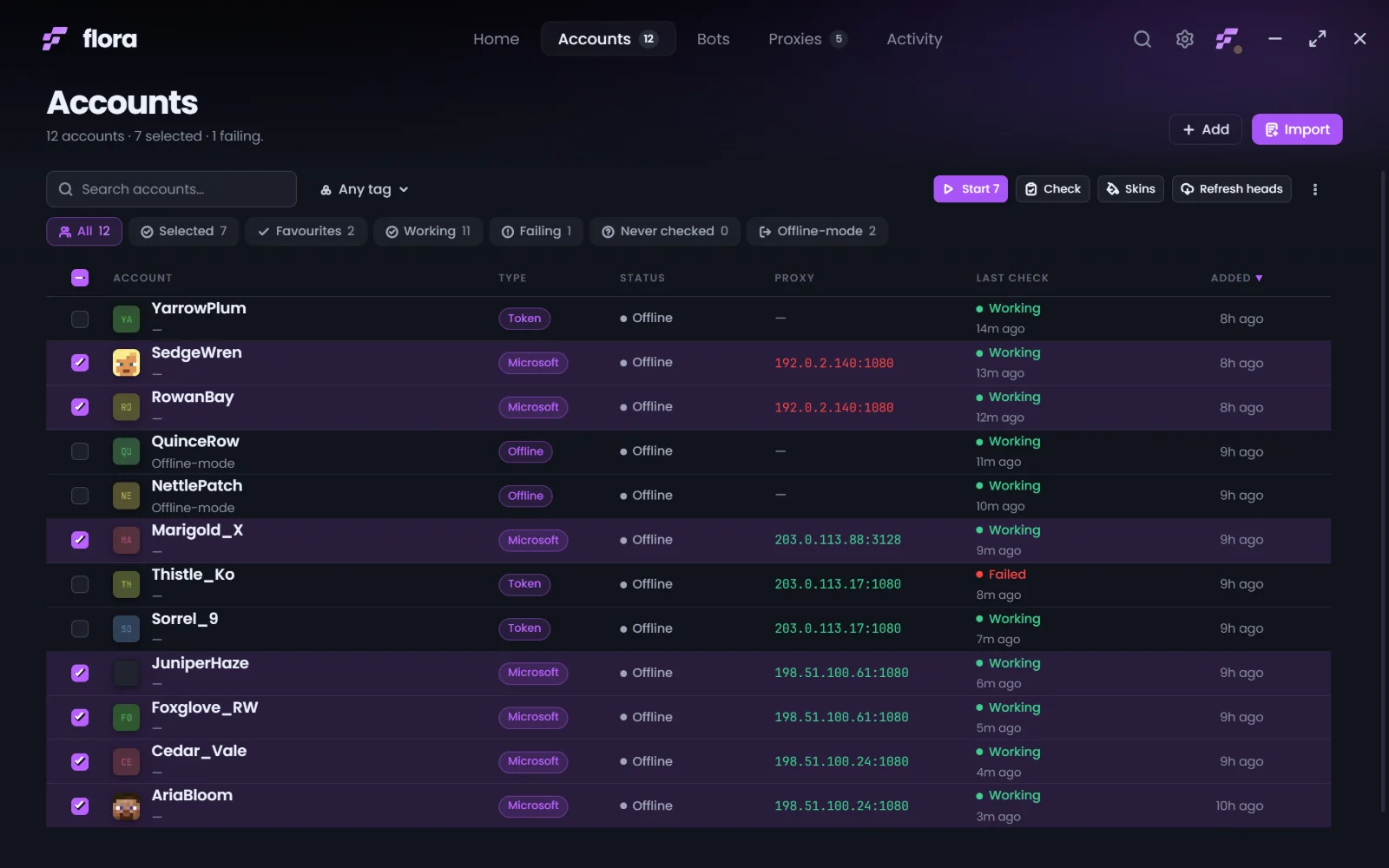
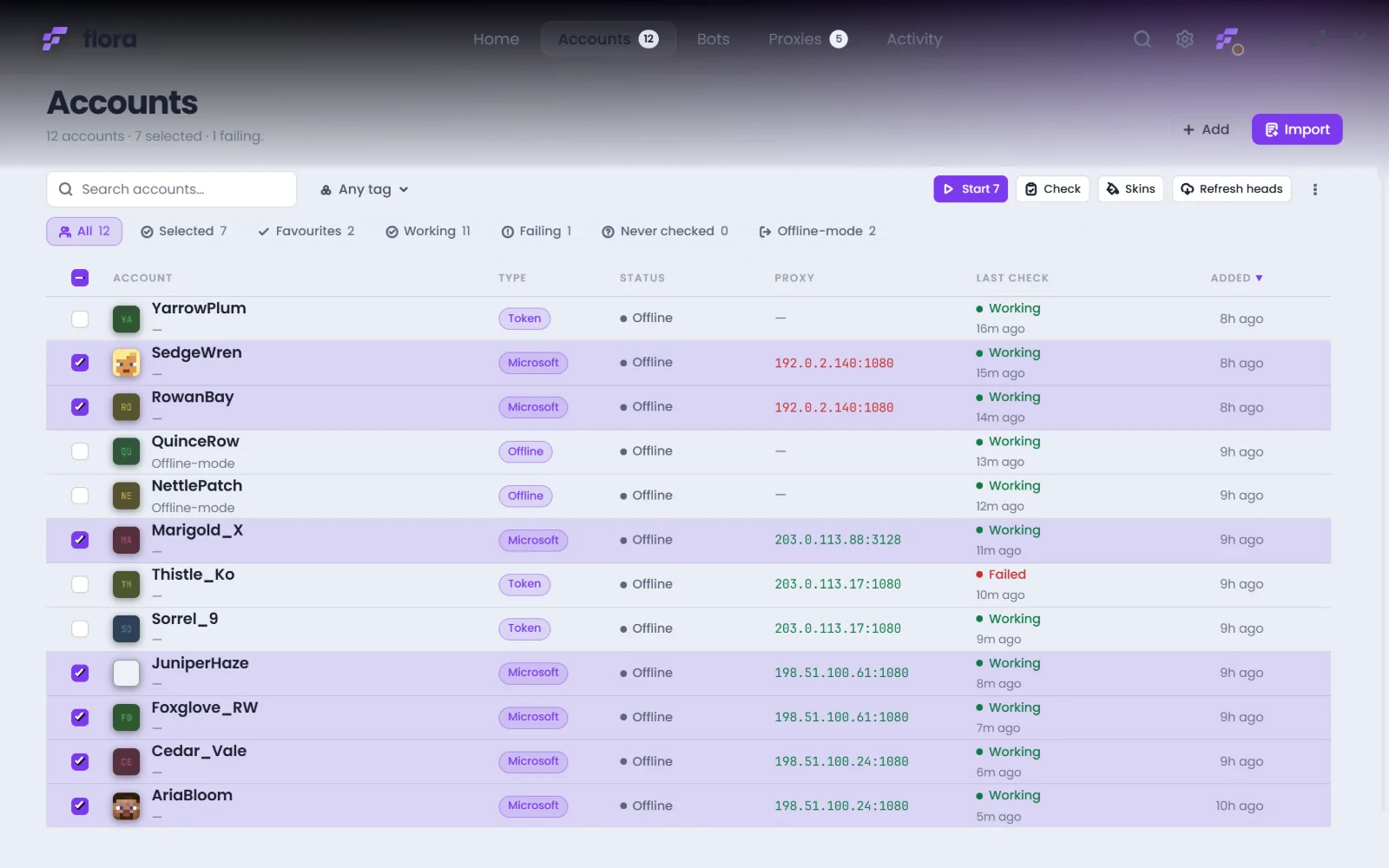
Sign in with Microsoft through device code, so no password is ever typed into flora. Or paste an access token, or add an offline-mode name. Tag, favourite, filter and bulk-check the lot.
flora is a desktop panel for Minecraft accounts and bots. Sign accounts in, route them through your own proxies, and watch every console and log line from one window. Everything stays on your machine.
Version 2.3.9, 138 MB. Installer and portable build.
Six views, one window. Pick a tab to move through the app.
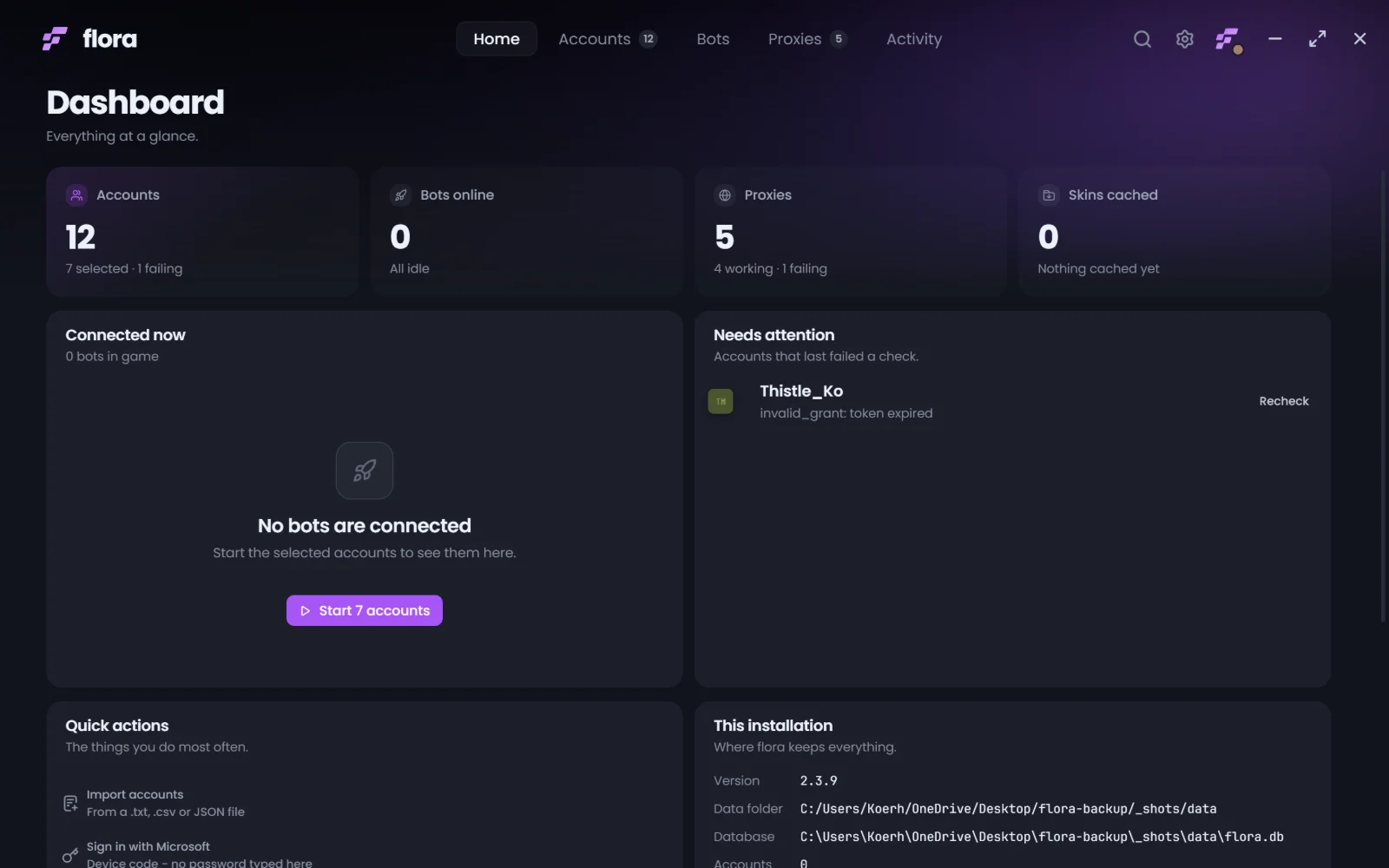
Accounts, proxies, connections and logs are usually four tools and a spreadsheet. flora puts them in one app that keeps working after the window closes.
Sign in with Microsoft through device code, so no password is ever typed into flora. Or paste an access token, or add an offline-mode name. Tag, favourite, filter and bulk-check the lot.
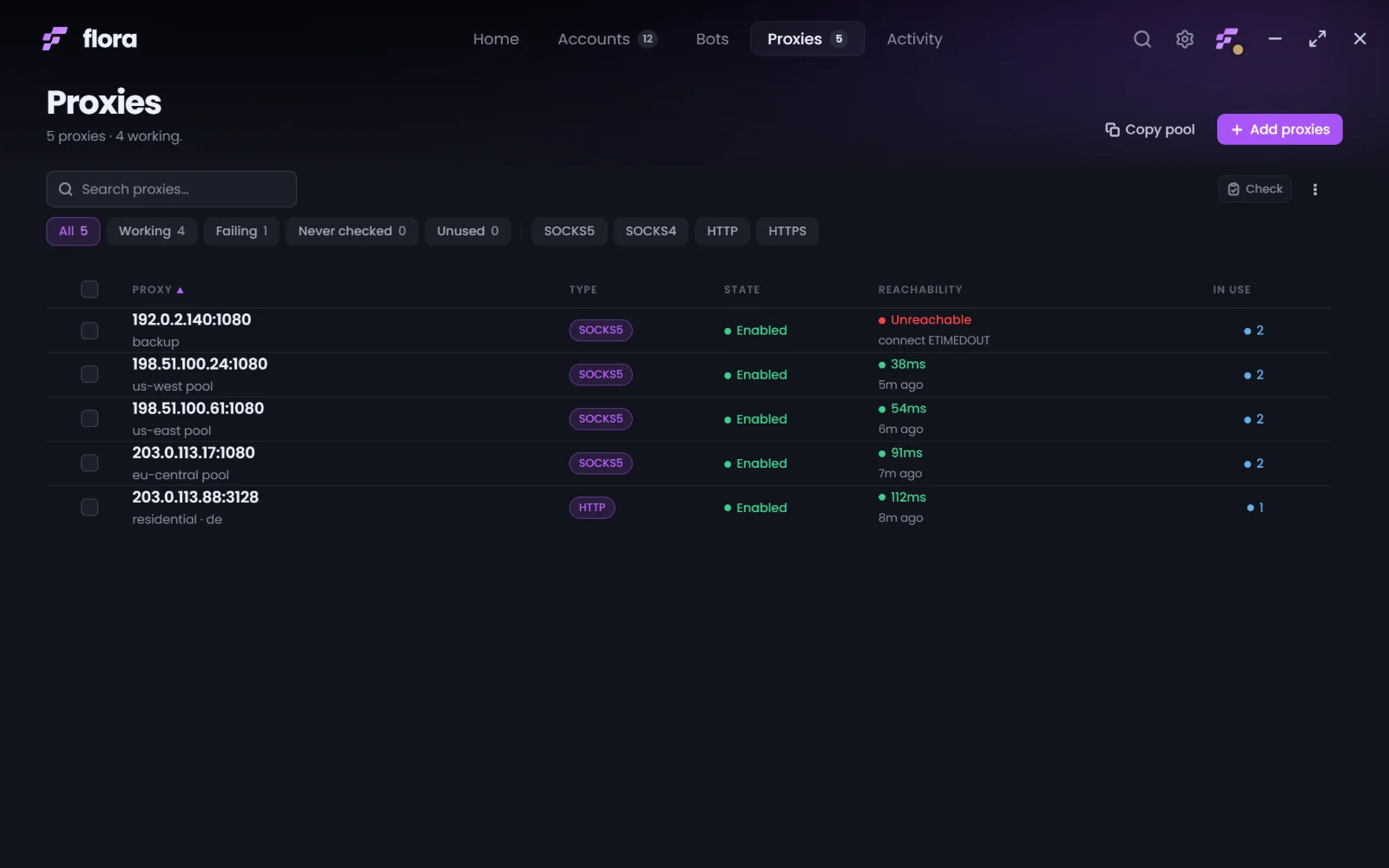
Keep SOCKS5, SOCKS4 and HTTP proxies in one list, hand them out per account, and check latency with one click so a dead endpoint shows up before a bot does.
Every running bot gets its own console. Read the server chat, send a command to one bot or all of them, and keep a searchable history of everything that was said.
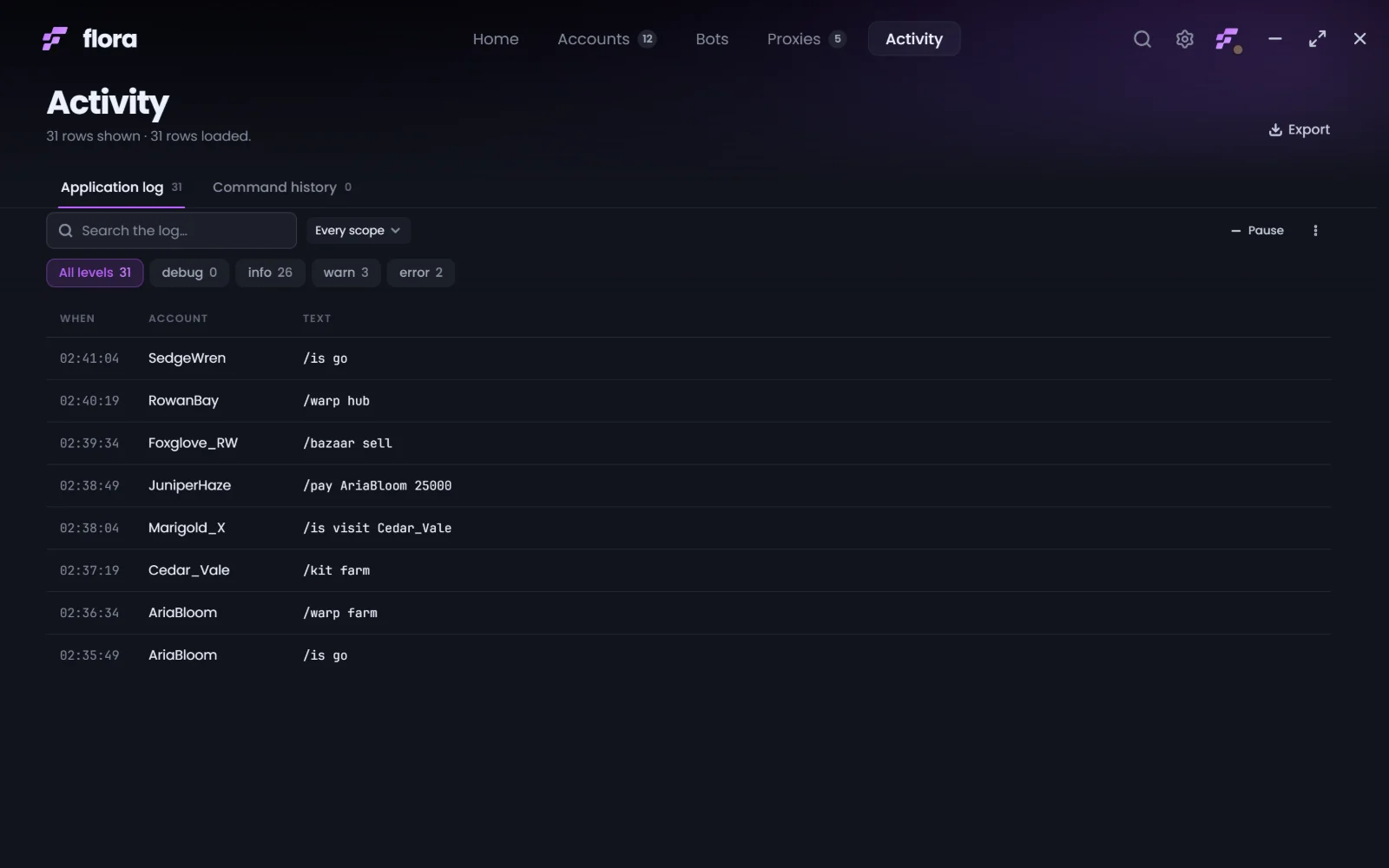
Starts, kicks, reconnects, failed logins and every command, timestamped and levelled. Filter by scope or severity, then export the lot when something needs explaining.
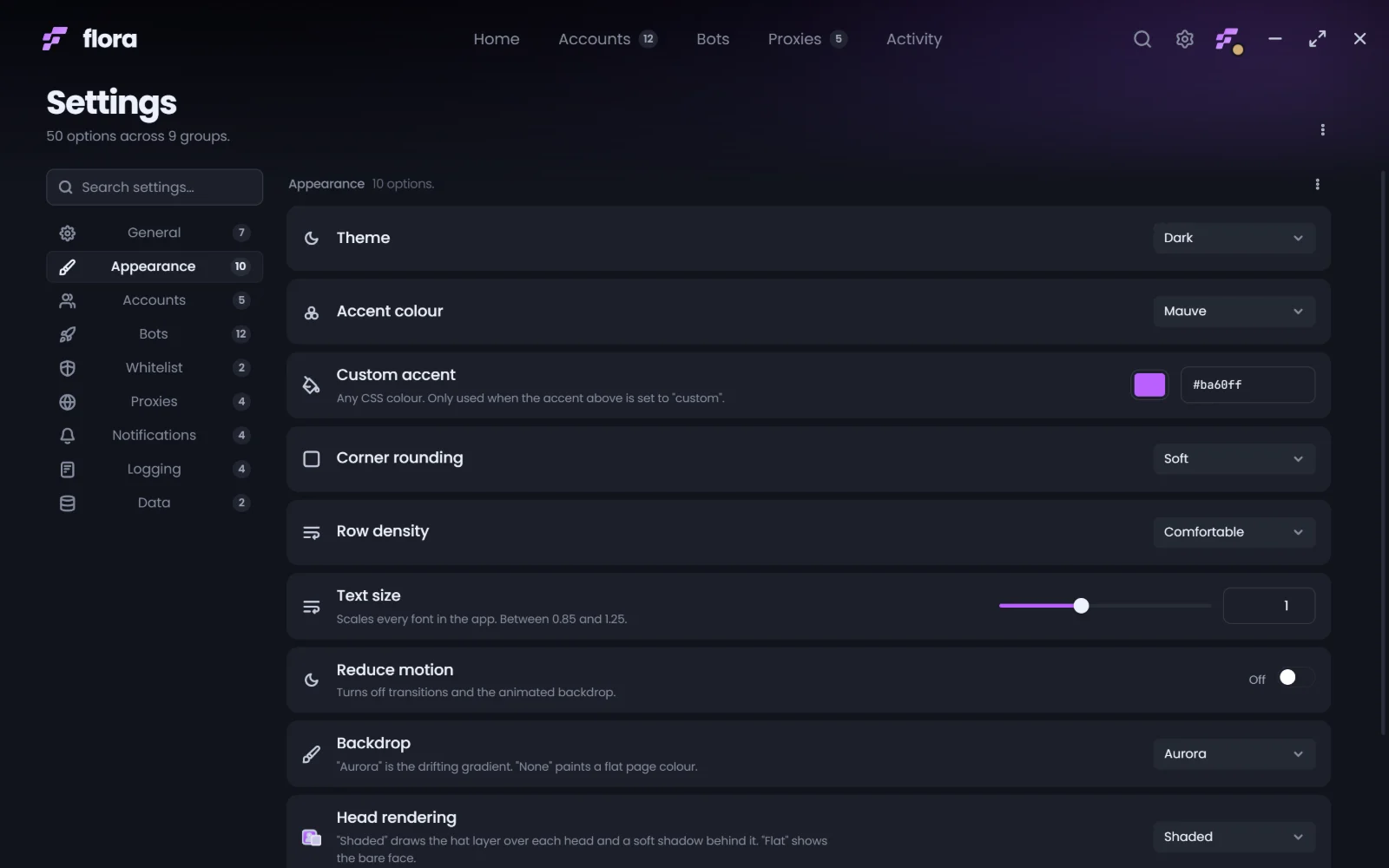
Dark or light, eight accent colours or your own hex, plus corner rounding, row density, text size and the animated backdrop. Every view re-skins from the same set of tokens.
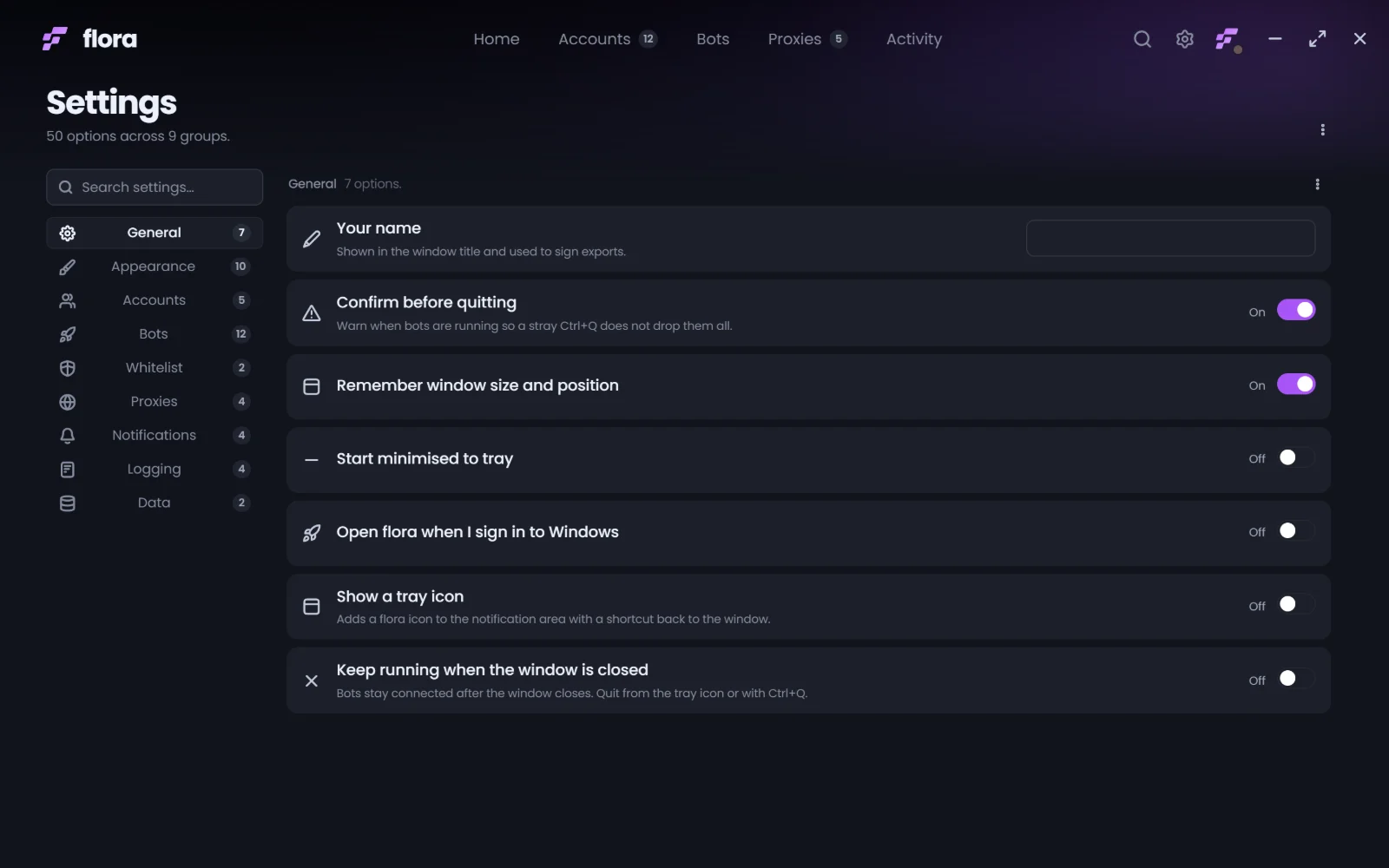
Bots are a background job. Keep flora running after the window closes, sit it in the tray, start it minimised, or have it launch when you sign in to Windows.
Pick a theme, an accent and a corner radius, and the whole app follows, including the settings you are changing it in.

One installer, no account required, nothing to configure first. Windows 10 or 11, 64-bit.
Portable build available on request. Releases are published by hand, and the Discord is where new versions land first.